
In use
See it on real properties.
“OpenStays has made it easy for me to take direct bookings and store guest ID.”
Built by property owners for property owners
Ready to make your stay bookable?
INVOICING FOR YOUR PROPERTY
The stay.
The bill. The records.
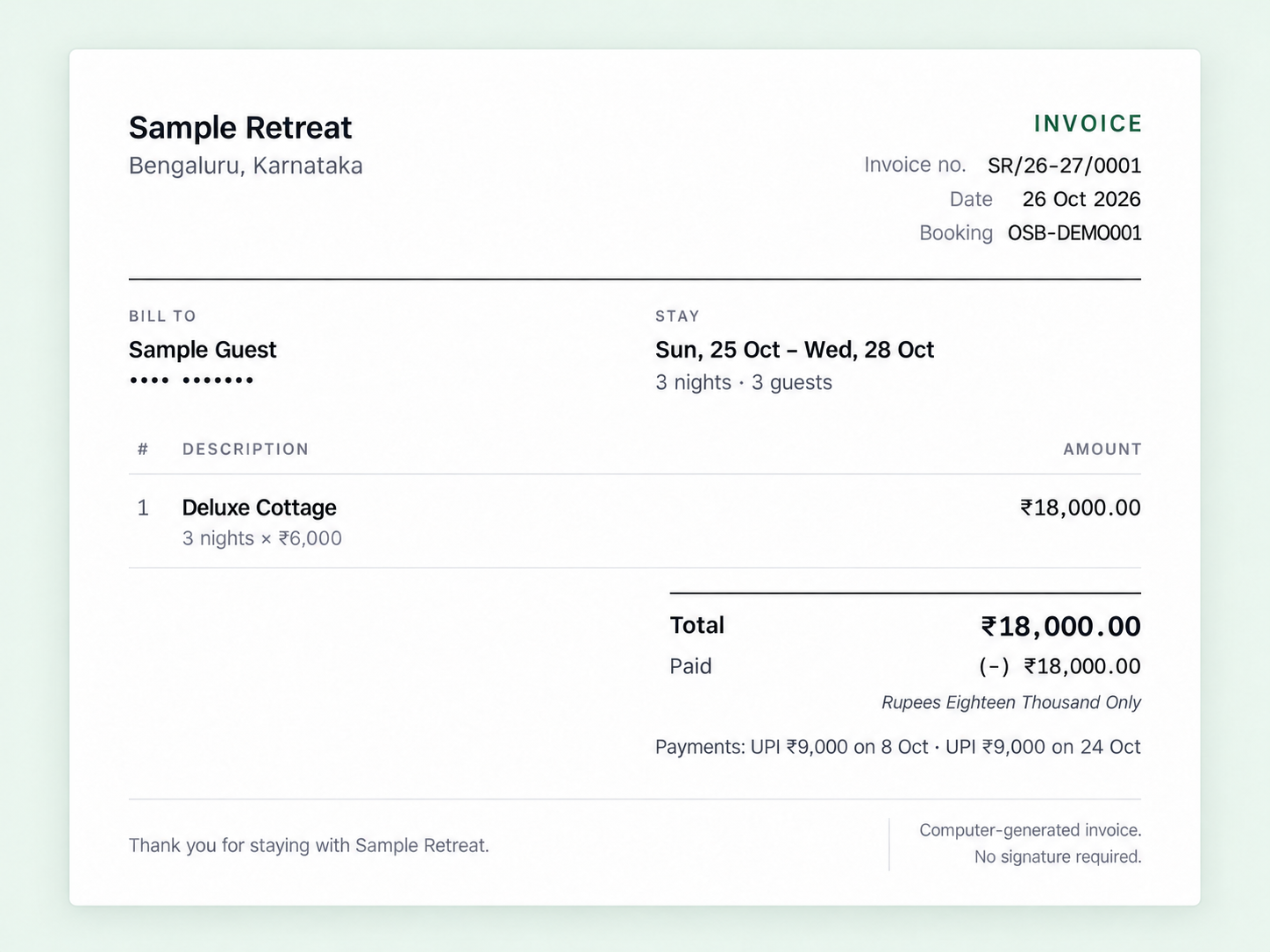
Create booking invoices with or without GST. Keep charges and recorded payments together then download monthly invoice and booking details in Excel.
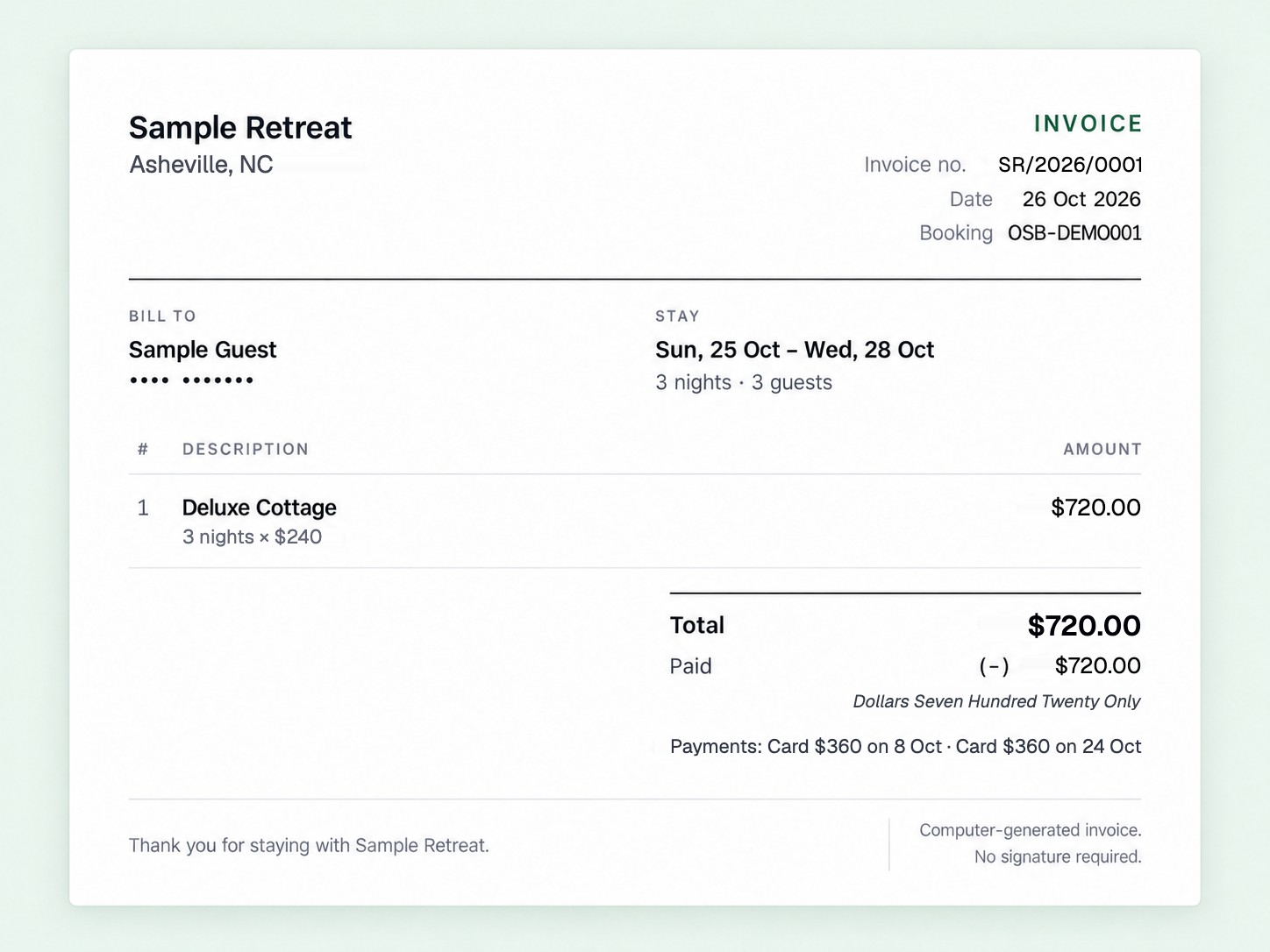
Create booking invoices with tax details when they apply. Keep charges and recorded payments together then download monthly invoice and booking details in Excel.
See quotations and invoices in action
A short walkthrough: send a quotation on WhatsApp or email, track it, then bill from the booking.
FROM BOOKING TO INVOICE
Start with the stay you already have.
Select a booking in the Money area and review the invoice preview. The guest and stay details give you a starting point for the bill without creating a separate record outside your booking workflow.
Guest and stay details
Review the guest, booking reference, accommodation, stay dates and nights on the invoice preview.
Stay charges
Keep the accommodation charges and invoice total with the reservation they belong to.
Recorded payments
Show payments recorded against the booking so the amount paid is visible when reviewing the bill.
Invoice reference
Keep the invoice number and invoice date alongside the booking reference for later review.
You can create an invoice while the guest is still staying. If the stay or charges change, review and edit the invoice as needed.
GST AND NON-GST INVOICING
Use the invoice format that applies.
OpenStays supports invoices with and without GST. Use the appropriate format for your property and the invoice you are issuing.
Invoices with GST
Include GST details and a tax breakup when GST applies. Review the property, guest and tax information before issuing the invoice.
Invoices without GST
Create a non-GST invoice when that is the applicable format. Keep the stay charges and recorded payments together in the same invoicing workflow.
TAXES ON INVOICES
Use the invoice format that applies.
Add tax lines when they apply to a stay, or issue a plain invoice when they don’t. Use the format that fits your property and the invoice you are issuing.
Invoices with tax
Show each tax as its own line when it applies to the stay. Review the property, guest and tax information before issuing the invoice.
Invoices without tax
Create a plain invoice when no tax applies. Keep the stay charges and recorded payments together in the same invoicing workflow.
MONTHLY EXCEL DOWNLOAD
Take your invoice and booking records with you.
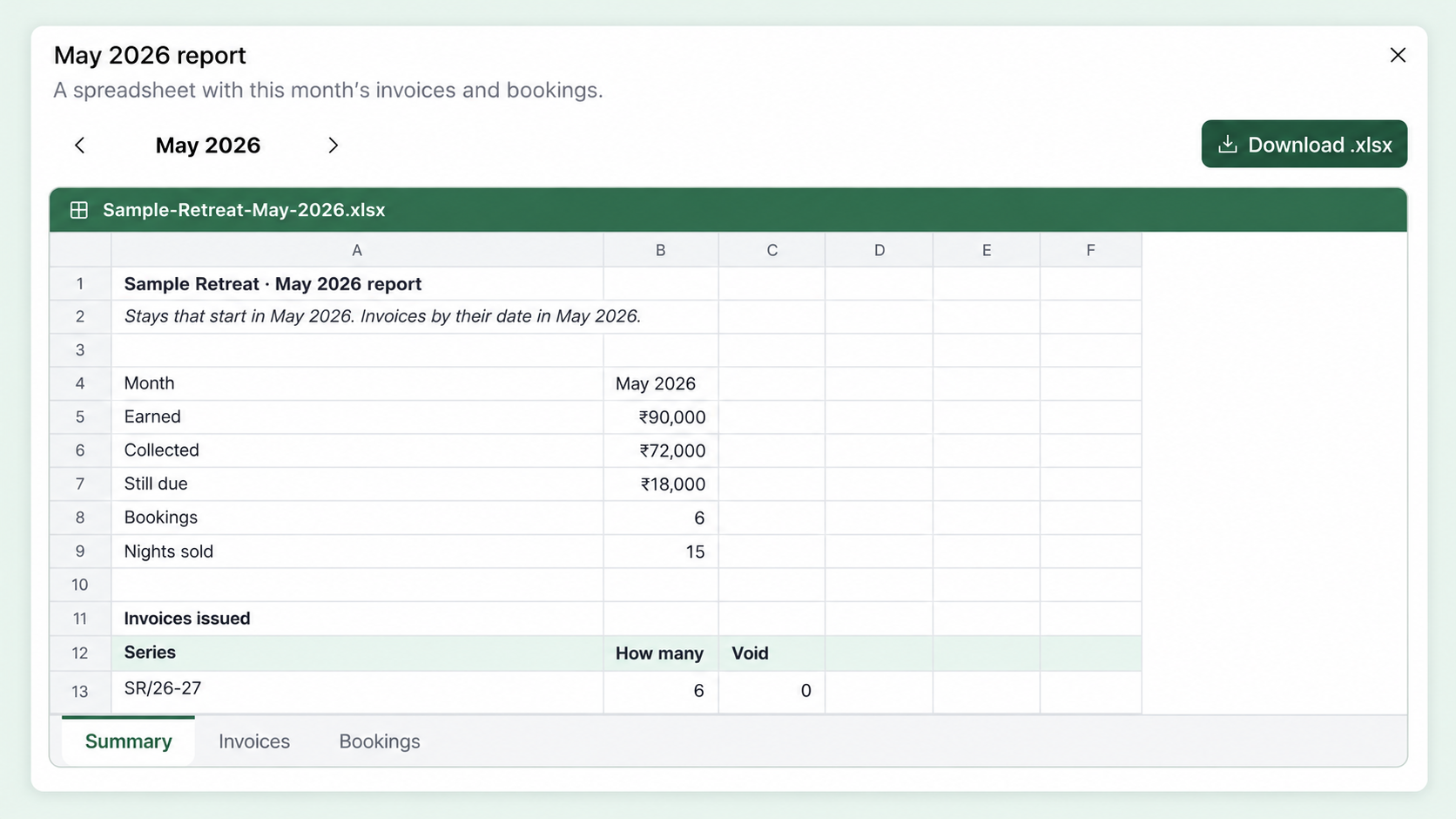
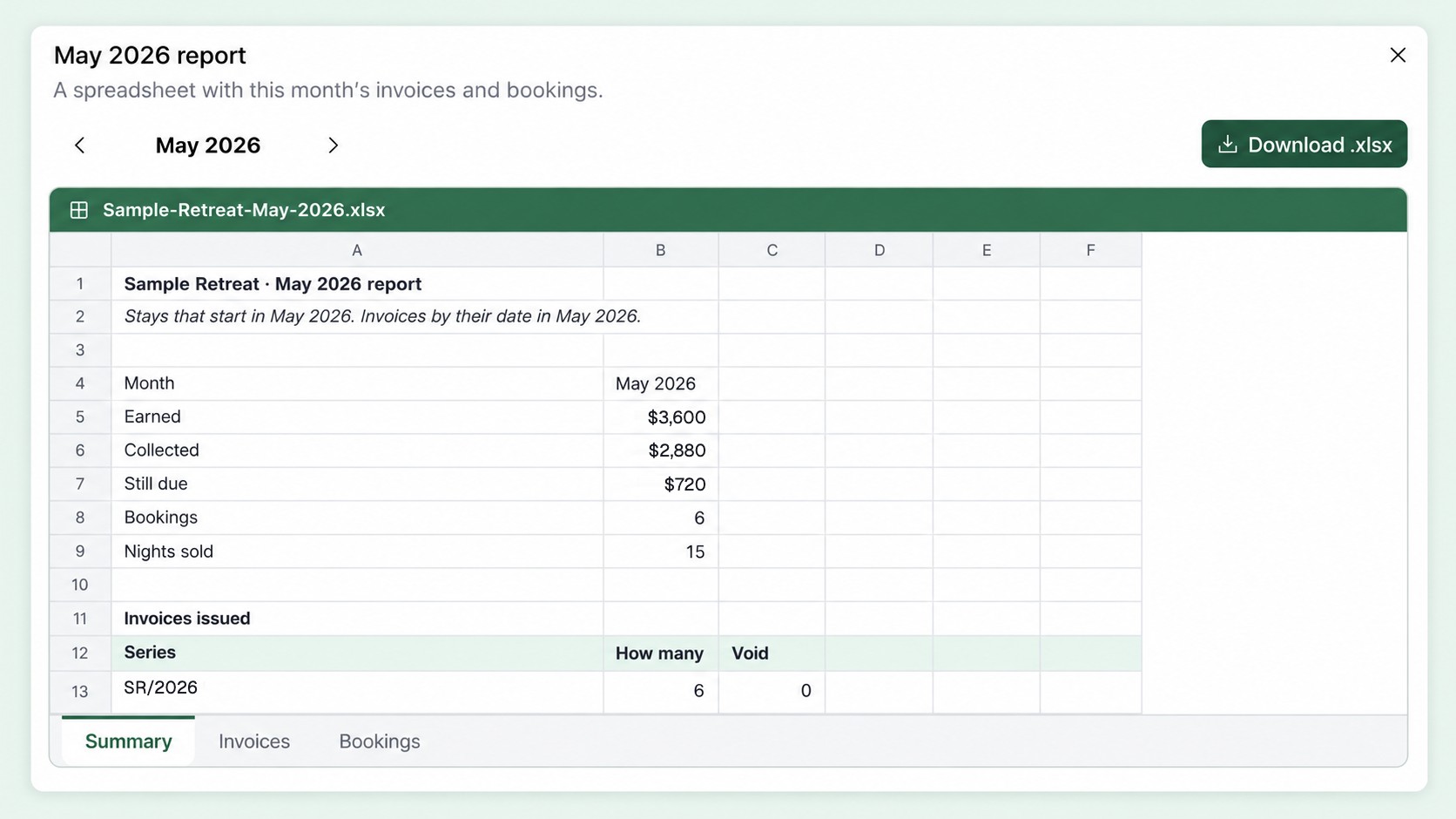
Choose a month and download an .xlsx spreadsheet with Summary, Invoices and Bookings sheets. Review the figures yourself or share the file with your accountant.
Summary
Monthly earned, collected and still-due figures, booking and night counts and invoice-series totals.
Invoices
Invoice number, date, linked booking, guest, total and status in a dedicated sheet.
Bookings
Guest, source, stay dates, nights, rooms, total, paid amount, payment method, balance due and invoice number.
Bookings are selected by their stay start date and invoices by their invoice date. A booking and its invoice can therefore appear in different monthly reports.
KEEP THE FIGURES USEFUL
Keep payments and records up to date.
Use the Money reports to review payments recorded and amounts still due. Keep payment records current so your figures reflect the transactions you have recorded.
The spreadsheet gives your team a copy of the monthly invoice and booking details for review. Explore revenue and occupancy reports →
Invoicing questions
Can I create an invoice from an existing booking?
Yes. Select a booking and review its invoice preview. The invoice includes the guest, stay details and booking reference alongside the charges and recorded payments.
Can I create an invoice without tax?
Yes. OpenStays supports invoices with and without tax. Use the format that applies to your property and the invoice you are issuing.
Does invoicing support tax details and a tax breakup?
Yes. Include tax details and a tax breakup when tax applies to the invoice. Review the property, guest and tax information before issuing it.
Can I create an invoice before checkout?
Yes. You can create an invoice while the guest is still staying. If the stay or charges change, review and edit the invoice as needed.
Does the invoice show recorded payments?
Yes. The invoice preview shows payments recorded against the booking and the amount paid. Keep those records up to date when payments are received.
Can I download invoice and booking details in Excel?
Yes. Choose a month and download an .xlsx spreadsheet. It contains separate Summary, Invoices and Bookings sheets.
What does the Invoices sheet include?
The Invoices sheet includes invoice number, invoice date, linked booking, guest, invoice total and invoice status.
What does the Bookings sheet include?
The Bookings sheet includes the booking, guest, source, check-in and check-out dates, nights, rooms, total, paid amount, payment method, balance due and invoice number.
Which month does a booking or invoice appear in?
Bookings are selected by the month their stay starts. Invoices are selected by invoice date. A stay and its invoice can therefore appear in different monthly reports.
Can I share the spreadsheet with my accountant?
Yes. Download the .xlsx file and share it with the person who handles your records. Review the file first because it contains guest and booking information.
Keep the bill with the booking.
Create your OpenStays account to manage booking invoices and download your monthly records.