
OPERATIONS / RESOURCE GUIDE
Google business profile management for homestays, hotels and resorts
A practical setup and maintenance guide, plus a downloadable checklist.
Most guests find a homestay, hotel or resort the same way: they search “homestay near [place]” or “hotels in [city]” on Google, or they drop a pin on Google Maps and scroll through what shows up nearby. What shows up is your Google Business Profile (the free listing that appears in Google Search and Google Maps) and how complete, accurate and active it is directly affects whether a guest clicks through to you or scrolls past you to a competitor.
This is not about running paid Google Ads and it is not about hiring an agency to “manage” your listing for you. Nearly everything that actually moves the needle on a Google Business Profile is free and something you can do yourself in under an hour, then maintain in a few minutes a month. This guide walks through exactly what to do, in order, with a downloadable checklist at the end so you do not have to keep this page open while you work through it.
One practical note before starting: your Google Business Profile is separate from your listings on OTAs like Booking.com or Airbnb and separate from your own website or booking page. It is worth getting right on its own terms, because for a huge share of local, “near me” style searches, it is the very first (and sometimes only) thing a potential guest sees about your property.
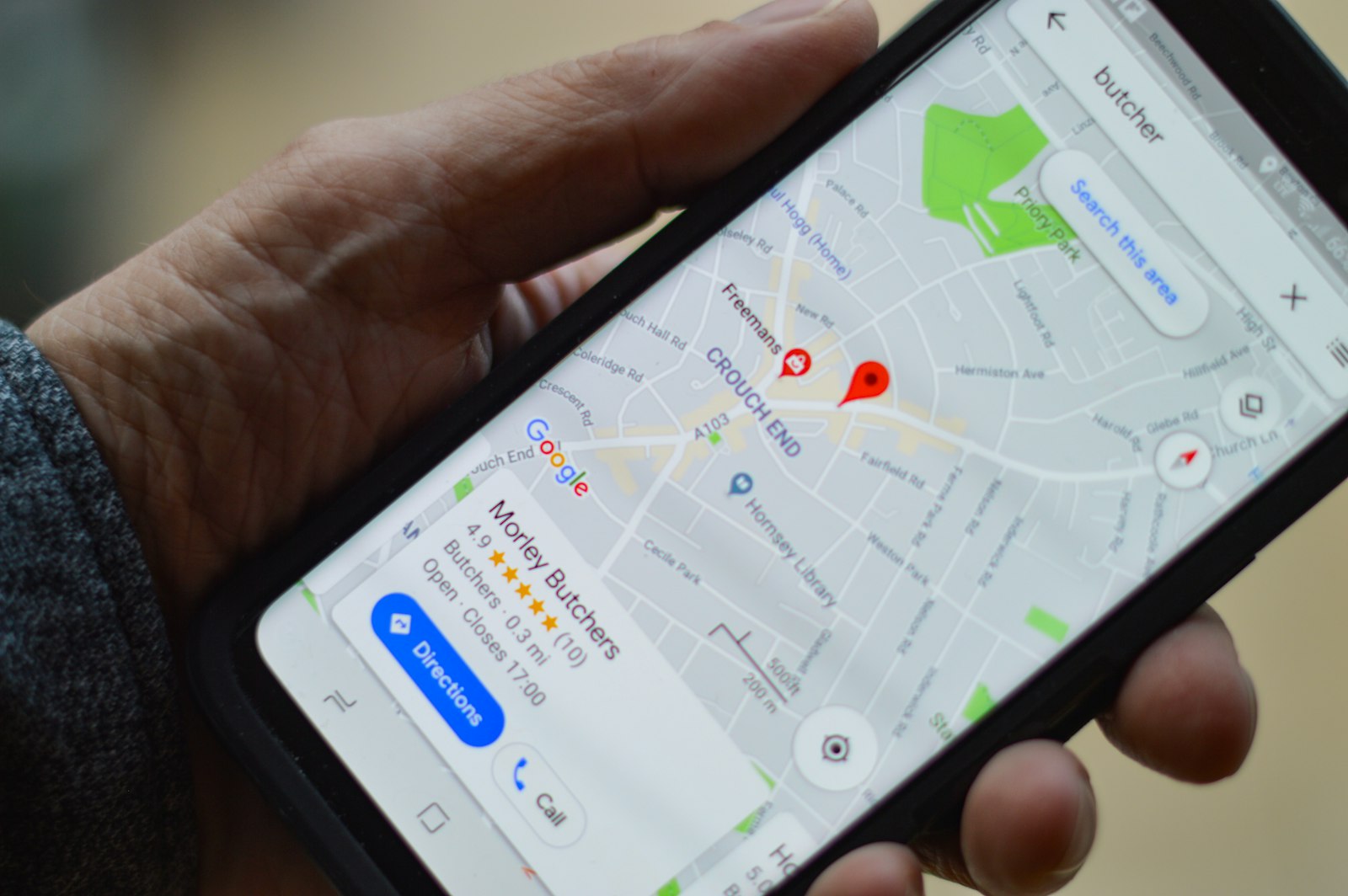
What a Google business profile actually is
A Google Business Profile is a free business listing that controls how your property appears in Google Search results (the panel on the right when someone searches your property name, or the local pack of three listings for a broader search) and in Google Maps. It shows your name, address, phone number, photos, hours, reviews and a “Book” or website link if you have added one. You manage it for free at google.com/business using the Google account tied to your property.
It is different from a normal website in one important way: Google actively surfaces it to people who have not searched for you by name at all, just for a type of property in an area (“resort near Lonavala”, “budget homestay in Manali”). That discovery function is the whole reason it is worth maintaining properly.
Setting up and verifying your profile
If you already have a profile, most of this section is a chance to audit what is there rather than start over. If you do not have one yet, this is the order to do it in.
1. Claim or create your profile
Go to google.com/business and sign in with the Google account your property will use going forward (ideally a shared business account, not a single staff member’s personal Gmail, since staff turnover should not mean losing access to your listing). Search for your property name and address first, since a listing may already exist, created automatically by Google or by a past guest and claiming an existing one is faster and safer than creating a duplicate.
2. Choose the right category
Your primary category is one of the most important fields on the whole profile, since it directly affects which searches you show up for. Pick the category that most accurately matches your property, not the one that sounds most impressive:
- Hotel, a standard hotel with individually bookable rooms
- Resort hotel, a larger leisure property, typically with multiple amenities on-site
- Bed & breakfast, a smaller owner-run property offering rooms and breakfast
- Guest house, a homestay-style property, often with shared common areas
- Vacation home rental agency or Cottage, for a single whole-property rental, depending on how Google categorizes your region
You can add secondary categories too, but only if they are genuinely accurate (for example “Wedding venue” if you actually host weddings), padding this list with categories that do not apply is a common mistake covered later in this guide.
3. Verify your profile
Google needs to confirm you actually run the property before your profile goes live in search results. Depending on your account and location, you will be offered one or more of: a postcard mailed to your property address (slowest, usually 5–14 days), a phone call or SMS with a code, a live video call showing your property, or in some cases instant verification if your business is already verified through Google Search Console. Pick whichever is offered and fastest for you. There is no advantage to one method over another once verification is complete.
4. Get your business name exactly right
Set your business name to match your real signage and legal trading name exactly. Google’s guidelines explicitly prohibit adding extra keywords to your name field (for example listing yourself as “Sunrise Homestay | Best Budget Homestay Near Manali Mall Road” instead of just “Sunrise Homestay”). This is a policy violation that can get a listing suspended, not just a cosmetic issue and it looks unprofessional to guests regardless.
5. Set your address and phone number
Use the exact address guests would use to find you and a phone number that is actually answered during your listed hours, a huge share of “click to call” traffic from Google Maps comes from someone standing at their phone deciding whether to book right now and an unanswered call is a lost booking, not a delayed one.
Getting your profile information right
Once verified, the profile fields you fill in are what actually help a guest decide to click through, so treat this as writing for a real person scanning quickly, not filling in a form.
Business description
You get up to 750 characters. Use them to say what kind of property you are, where you are relative to a well-known landmark or area and one or two things that make you different (a rooftop with a view, home-cooked meals, walking distance to a beach or station). Avoid stuffing this with repeated keywords, Google’s own guidance treats over-optimized descriptions as a quality signal against you and it reads badly to guests too.
Hours
Set your regular hours (check-in desk hours, not “open 24 hours” unless your reception genuinely is staffed round the clock) and set special hours for holidays, off-season closures, or maintenance periods. A profile showing “Open” when nobody is actually there to answer a call or a guest arriving is one of the fastest ways to lose trust.
Attributes
Attributes are the small tags guests can filter by and see at a glance, free Wi-Fi, breakfast included, pet-friendly, parking on site, pool, air conditioning, wheelchair accessible and many more depending on your category. Go through the full attributes list in your dashboard once and tick everything that is genuinely true; this is one of the highest-leverage, lowest-effort parts of the whole profile since it directly affects whether you show up when someone filters search results by amenity.
Website and booking link
Add your website URL and if your booking system supports it, a direct “Book” link on the profile itself so a guest can go from seeing your listing to completing a booking without ever leaving Google. This is worth getting right: a “Book” button pointed at your own direct booking page keeps the booking (and the full margin on it) with you, instead of routing an already-interested guest back out to an OTA search results page where a competitor is one click away.
Where OpenStays fits in
If your booking page is built on OpenStays, the direct link you add to your Google Business Profile can point straight at your live OpenStays booking page, so a guest who taps “Book” from Google Maps lands on a page that shows real-time availability and lets them pay instantly, rather than a generic contact form.
Messaging
If you want guests to be able to message you directly from the profile, Google offers a chat feature tied to your Google Business Profile inbox (separate from WhatsApp). Many Indian hosts find it simpler to keep WhatsApp as the primary channel and just make sure the phone number on the profile is a number guests can also WhatsApp, worth deciding once and being consistent about it everywhere (profile, website, OTA listings) rather than splitting guest queries across too many inboxes.

Photos and videos that actually work
Photos are the single biggest factor in whether a guest trusts a listing enough to click further and profiles with more (genuine, recent) photos consistently get more engagement from Google’s own data.
- Logo and cover photo, set both; the cover photo is what shows first in search results
- Exterior, at least one daytime shot showing the full property/entrance and one evening shot if you have exterior lighting worth showing
- Every room type you offer, not just your best room; guests booking your cheapest room want to see what they are actually getting
- Common areas and amenities, lobby, dining area, pool, garden, rooftop, parking, whatever you actually have
- A short video walkthrough, even a simple 30–60 second phone video of walking through the property performs well and is something most competitors still have not bothered adding
Refresh your photos with the seasons where it is relevant (a rooftop that looks very different in monsoon vs winter, a garden in bloom vs bare), a profile with the same five photos for two years reads as stale even if nothing about the property has actually changed and Google does deprioritize profiles that go long stretches with no new content.
Skip the stock photos
Never use stock photography or photos of a similar-looking property that is not actually yours. Beyond being misleading to guests who will notice the mismatch on arrival, Google can remove photos and in repeated cases suspend profiles for misrepresentation.
Managing reviews the right way
Reviews on your Google Business Profile are public, permanent and one of the first things a guest checks before booking and how you handle them matters almost as much as what they say.
Respond to every review
Reply to positive reviews with a genuine, specific thank you (not a copy-pasted line) and reply to negative reviews calmly, acknowledging the specific issue and what you did or will do about it. A thoughtful public response to a bad review often reassures a future guest more than the review itself worries them. It shows the property is actively managed and takes feedback seriously.
Ask for reviews the right way
Asking happy guests to leave a review after checkout is completely fine and worth doing consistently. What is not fine and against Google’s policies, is offering a discount or freebie in exchange for a review, or requiring a review before releasing a security deposit or check-out formality. This is called review-gating and Google can remove the reviews or suspend the profile if it is reported.
Where OpenStays fits in
A simple, low-effort habit: send a short WhatsApp message with your Google review link a day or two after checkout, once the stay is fresh in the guest’s mind but they are not mid-checkout-rush. If you use OpenStays’ WhatsApp guest communication flow for other post-stay messages, the same review-request message can go out automatically at a fixed number of hours after checkout, without needing to remember to send it manually for every guest.
Monitor and answer the q&a section
Beyond reviews, Google Business Profiles have a separate Questions & Answers section anyone can post to and anyone (not just you) can answer, meaning a wrong answer from a stranger can sit there uncorrected for months if you never check it. Check it on the same schedule you check reviews and where useful, pre-seed it yourself with the questions guests actually ask most (parking availability, early check-in, pet policy).
Using Google posts and keeping the profile active
Google Posts are short updates you can publish directly to your profile, similar to a social media post and they show up right on your listing. Most small properties never use this feature, which makes it a genuinely easy way to stand out.
- Post seasonal offers or packages (monsoon discounts, long-weekend packages, early-bird rates)
- Post about local events and festivals happening near you during that period
- Post about a specific amenity or experience (a new rooftop cafe, a trekking route you help arrange, a homemade breakfast menu)
- Post local attractions and things to do nearby, not just content about your own property. This signals to Google (and guests) that the profile is actively maintained and gives genuinely useful pre-arrival information
Twice a month is a realistic, sustainable cadence for most small properties, more often is fine if you have the content, but an abandoned Posts tab with one entry from a year ago looks worse than not having any recent updates at all.
Reading your profile insights
Your Google Business Profile dashboard includes an Insights (sometimes called Performance) tab that is worth checking monthly, not because the numbers themselves are dramatic, but because trends in them tell you what is actually working.
| What it shows | Why it matters |
|---|---|
| Search views | How many people saw your profile in Google Search or Maps, a sudden drop often means a category, hours, or verification issue worth checking immediately |
| Direction requests | How many people tapped “Directions”, a proxy for people seriously considering visiting or checking in |
| Phone calls | Direct call clicks from the profile, if this number is high but bookings are not following, the issue may be how calls are being answered, not the listing itself |
| Website/booking clicks | How many people clicked through to your website or booking link, the clearest single signal of real booking intent from the profile |
If website/booking clicks are healthy but you are not seeing the bookings to match, the profile is doing its job, the drop-off is happening after the click, on your booking page itself, which is a different problem to fix.
Common mistakes to avoid
- Keyword-stuffing the business name, against Google’s policy and can get a listing suspended, not just penalized
- Wrong or padded categories, picking a category that does not match the property, or adding secondary categories that do not genuinely apply
- Duplicate listings, a second profile created by a past guest, a franchise system, or an old address change, splitting your reviews and confusing Google about which one is authoritative
- Ignoring reviews, leaving negative reviews unanswered for months signals a property nobody is actively running
- Stale photos, the same handful of photos for years, or worse, photos of a room/area that no longer exists or has been renovated
- Outdated hours, showing as open during a genuine closure, or an old check-in time that no longer matches reality
- No response to messages, leaving Google Business Profile chat or WhatsApp messages unanswered for days, when a guest deciding between two properties will simply book the one that replied first
Managing profiles for multiple properties
If you run more than one property (a small hotel group, a resort with a sister property, or several independently-branded homestays), each physical location needs its own separate Google Business Profile, Google does not support one listing representing multiple addresses. If you manage several, Google’s Business Profile Manager lets you group locations under one account so you are not juggling separate logins and lets you bulk-update fields like holiday hours across all of them at once rather than repeating the same edit property by property.
The listing that never got claimed
A homestay owner assumed nobody would bother creating a listing for a small property, but a past guest’s check-in on Google Maps had already generated a basic, unclaimed profile with no photos and an old phone number.
- Search your exact property name and address on Google Maps before assuming you need to start from zero
- If a listing already exists, claim it rather than creating a duplicate
- Update every field immediately once claimed, since an unclaimed listing often has stale or wrong information sitting there for anyone to see
The category that quietly cost bookings
A resort was categorized simply as “Hotel” for years, meaning it never appeared when guests specifically searched or filtered for “resort” in the area.
- Review your primary category at least once a year, since your positioning or Google’s category options can both change
- Check what category your closest competitors use for a sense check
- Add accurate secondary categories rather than leaving the profile under-described
The unanswered call during peak season
A property’s Google Business Profile showed a phone number that rang through to a landline nobody was near during the day, so calls generated by “click to call” from Maps went unanswered for hours during the busiest booking period of the year.
- Use a number that is realistically staffed during your listed hours, ideally a mobile number carried by whoever handles bookings
- Consider adding WhatsApp as a visible contact option alongside the phone number
- Check missed-call patterns occasionally to see if a specific time of day needs better coverage
The review nobody replied to
A one-star review describing a genuine but already-fixed issue (a broken AC unit) sat unanswered for eight months, still visible at the top of the reviews section to every new visitor.
- Reply to negative reviews within a few days while the context is fresh
- Acknowledge the specific issue rather than a generic apology
- Mention what was done about it, since future guests read this as reassurance that problems get fixed, not as an admission of ongoing failure
Download the checklist
Everything above, condensed into one print-and-tick checklist covering setup, profile information, photos, reviews, posts and ongoing maintenance, so you can work through it without needing this page open.
Google Business Profile Checklist
Google Business Profile Checklist (PDF)
Setup, profile info, photos, reviews, posts and maintenance in one printable checklist.
How OpenStays fits into this
A well-run Google Business Profile is a discovery and trust tool. It gets a guest to seriously consider your property. What happens in the moments right after that (can they see real availability, can they book quickly, do they get a fast reply if they have a question first) is what actually converts that interest into a confirmed booking and that is the part OpenStays is built around.
- A direct booking link on your Google Business Profile can point straight at your live OpenStays booking page, with real-time availability and instant payment, instead of a static contact form
- Guests who message through the phone number on your profile can be routed into OpenStays’ WhatsApp AI, which can answer common questions (availability, pricing, amenities) immediately, even outside your own working hours
- Post-checkout review requests, the kind of message covered in the reviews section above, can be sent automatically over WhatsApp at a set time after checkout rather than relying on someone remembering to send it manually for every guest
- Every booking that comes in through your Google-listed direct link is a booking OpenStays does not charge OTA-style commission on
None of this requires the Google Business Profile itself to mention OpenStays anywhere. It is simply that a well-optimized profile sends more of the right kind of traffic (people ready to book, not just browsing) to a booking flow that is built to actually convert it.
Frequently asked questions
Is a Google Business Profile free?
Yes. Creating, verifying and maintaining a Google Business Profile costs nothing. Google does offer paid advertising products separately, but none of them are required to have a complete, fully-functional free profile.
How long does verification take?
It depends on the method. Phone, email or instant verification can complete within minutes to a day. Postcard verification, still offered in some regions, typically takes 5 to 14 days to arrive by post.
Can I have both a Google Business Profile and OTA listings?
Yes and you should. They serve different purposes, your Google Business Profile is what shows up in local search and Maps discovery, while OTA listings put you in front of guests already browsing that specific platform. Neither replaces the other.
What if someone else already claimed my listing?
Google has a process to request ownership of a profile claimed by someone who should not have access to it (a former employee, an unrelated third party, or a mistaken duplicate), look for “Claim this business” on the listing itself or use Google’s ownership dispute process from the Business Profile help center.
Do I need a website to have a Google Business Profile?
No, a website is not required to create or verify a profile. That said, adding a working link (a website or a direct booking page) meaningfully increases how many people who see your profile actually take the next step.
How often should I update my profile?
Photos seasonally, Posts roughly twice a month, hours immediately whenever they change and a full review of category, attributes and description at least once a year.
Can I respond to a review privately instead of publicly?
Google’s review replies are public by design and there is no official private-reply feature on Google Business Profile reviews (unlike some OTAs). If a specific issue needs a private conversation, mention in your public reply that you have reached out separately and follow up over phone or WhatsApp using the contact details on the booking.
Does having more reviews always help?
A higher review count generally helps, but review quality and how recently they were left both matter too. A property with 40 reviews from the last year, mostly answered, will typically outperform one with 200 reviews that stopped coming in three years ago.
What is a Business Profile “location group” and do I need one?
A location group is a feature in Google Business Profile Manager for managing multiple physical locations under one account. If you run a single property, you do not need it. If you run more than one, it saves significant time on updates that apply across all your locations.
In summary
A Google Business Profile costs nothing and takes under an hour to set up properly, yet it is often the very first impression a potential guest gets of your property, before they ever see your website or an OTA listing. Get the category, name, photos and hours right, respond to reviews and Q&A, post updates a couple of times a month and check Insights monthly to see what is actually working. None of it is complicated on its own, the checklist above is there so none of it gets forgotten either.