
META TECH PROVIDER · OFFICIAL WHATSAPP BUSINESS PLATFORM
Keep your WhatsApp.
Let AI reply when you cannot.
Keep using WhatsApp Business on your phone while OpenStays AI answers guest enquiries on the same number. It can share availability, rates and property information to help guests book.
Let AI reply all day, during selected hours or only when your team has not responded.
No new number. No change for guests. Your team stays in control.
Your property
Your WhatsApp Business number
ILLUSTRATIVE CONVERSATION
Hi, do you have a room for two from Friday to Sunday?
OPENSTAYS AIYes! A double room is available for ₹6,000 total for two nights, including breakfast for both guests. Would you like the booking link?
That sounds good. Please send the booking link.
OPENSTAYS AIHere’s the link to select your room and pay securely.
yourhotel.example/book
Example conversation and rate. Your team can join at any time.
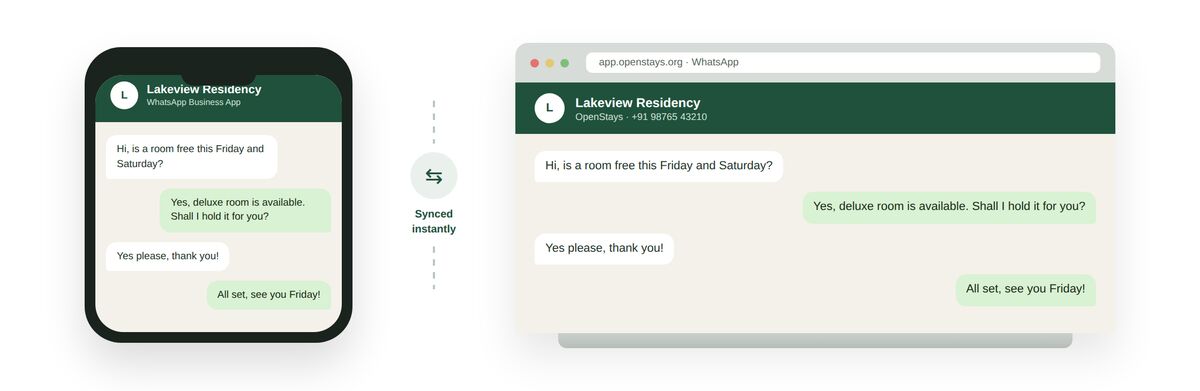
The same conversation, live on the phone and on the web at once, on the one number your property already uses.
Choose exactly when AI replies
Set AI around the way your front desk already works.
AI always responds
Let AI reply to guest enquiries at any hour. Keep response times short and reduce repetitive work for your team.
AI during set hours
Choose when AI responds. For example, set it from 10 pm to 8 am while your team handles daytime conversations.
Your team first. AI as backup.
Give your team time to reply in WhatsApp Business. If nobody responds within the time you choose, for example 5 minutes, AI steps in.
The hours and waiting time above are examples. You choose your own settings.
OPENSTAYS WHATSAPP MESSAGE CREDITS
Pay credits only when OpenStays sends a message.
1 outgoing message = 1 credit = ₹1 + GST
Messages sent by OpenStays
Every outgoing WhatsApp message sent through OpenStays uses 1 credit. This includes AI replies and official Meta WhatsApp messaging charges.
Incoming messages
Free. Guest messages received do not use any credits.
Manual replies in your app
No OpenStays credits are used when your team replies manually from the WhatsApp Business app.
OpenStays can reply immediately, work during selected hours or step in when your team is busy. You use credits only when it sends a message. This saves staff time and keeps enquiries moving.
Purchased credits never expire. The OpenStays software subscription is separate. View plans and credit details →
Reply faster without losing the personal touch.
Guests asking about rooms at night should not wait until morning. OpenStays AI can use your availability, rates and policies to answer common questions and help them book.
When your team is available, they can reply personally from WhatsApp Business on their phones. You decide when AI responds and when it waits.
One number. Your team and AI, together.
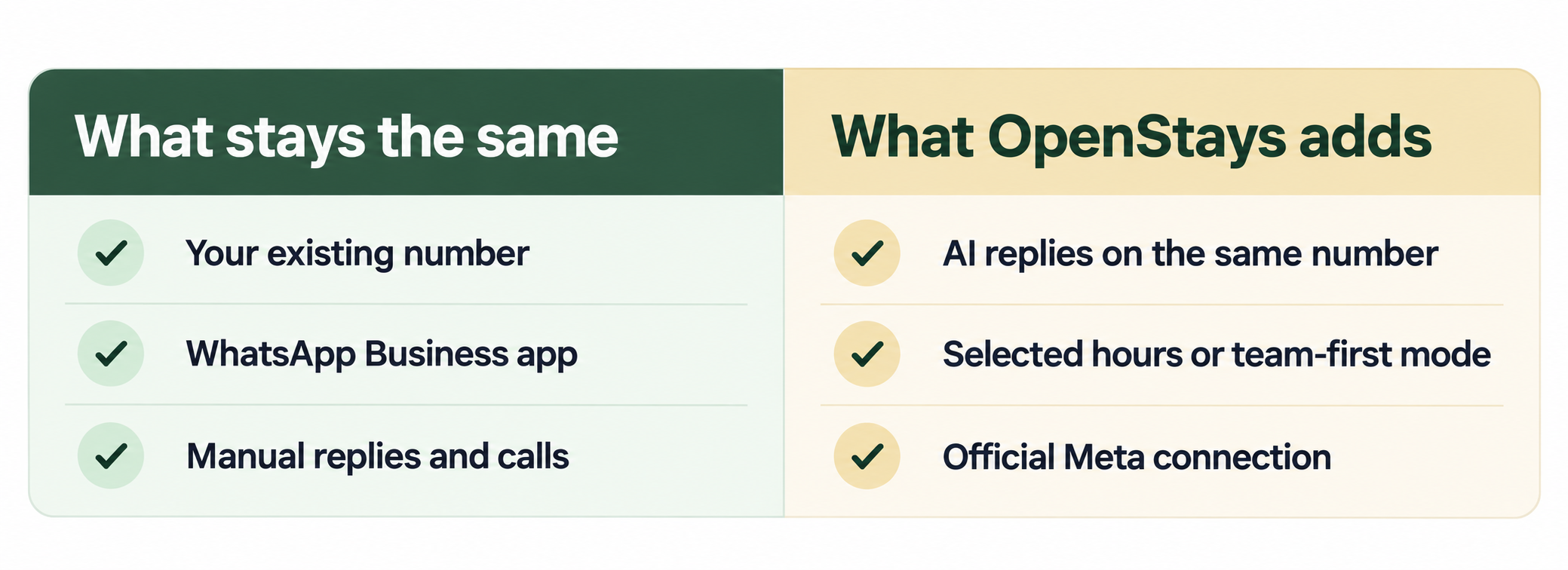
OpenStays is a Meta Tech Provider and uses the official WhatsApp Business Platform APIs to connect AI to an eligible WhatsApp Business number. Your team keeps the app on their phones, with OpenStays working alongside it.
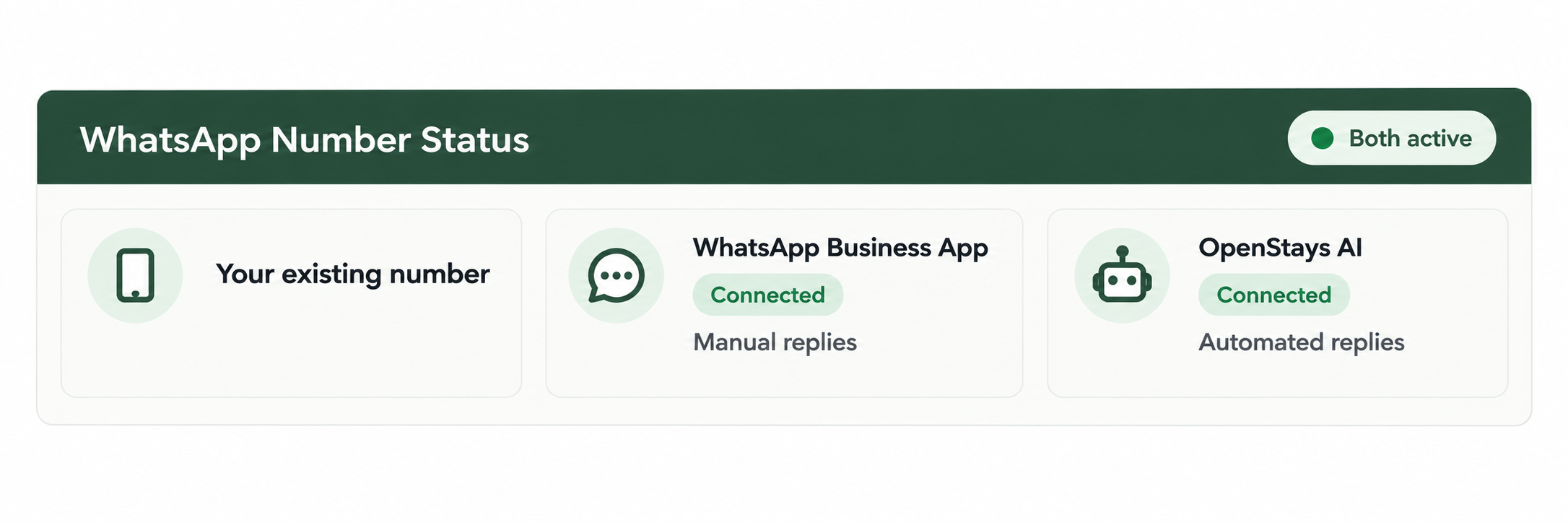
One number. Your team replies in the app. OpenStays handles the messages you choose.
Guests continue messaging the number they already know. Manual and AI replies appear in the same conversation.
How WhatsApp coexistence actually works
One number, two connected channels
The WhatsApp Business app and OpenStays automation stay active on the same number. Your team can reply manually while AI works according to your settings.
Contacts and recent history carry over
Your saved contacts and eligible recent chat history can carry over when coexistence is enabled, subject to Meta’s current limits. Your team does not have to begin with an empty inbox.
Nothing to migrate, nothing to announce
Guests keep using the same number. There is no new QR code and no need to announce a contact change.
Staff keep the app they already know
Front desk staff can open WhatsApp Business and reply personally at any time. OpenStays continues to follow the AI response settings you choose.
SEE THE DIFFERENCE
What happens when an enquiry arrives after hours?
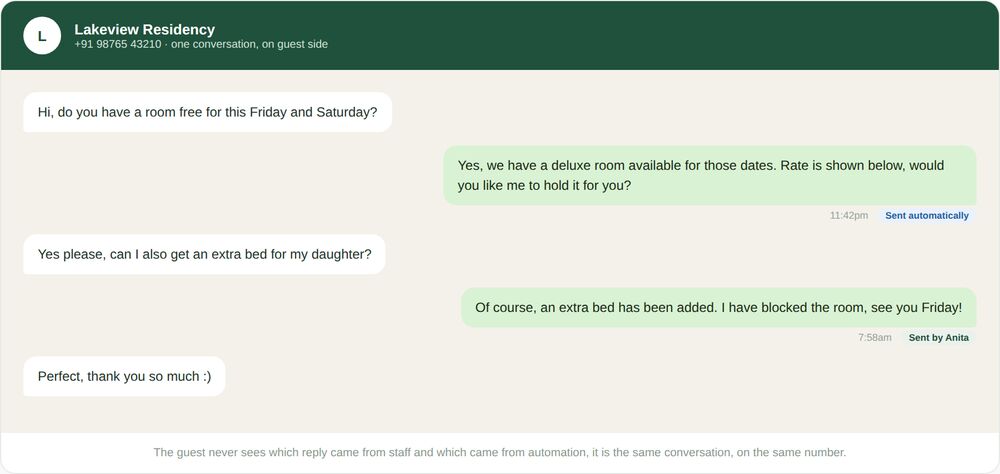
Picture a guest asking about a room at 10:40 pm. If AI is scheduled overnight, OpenStays can reply with the availability, rate and property information you have provided.
The guest sees one familiar WhatsApp conversation, whether the reply comes from your team or OpenStays.
Prefer your team to answer first? Set a waiting time, such as 5 minutes. OpenStays replies only if nobody has responded in WhatsApp Business by then.
You choose the hours and waiting time for your property.
Your team can take over at any time.
Staff can read the conversation and reply from WhatsApp Business whenever a personal response is needed.
Manual and AI replies share the same property number.
The guest stays in one conversation on one number, even when the conversation moves between your team and AI.
One WhatsApp connection across OpenStays
WhatsApp coexistence powers OpenStays’ WhatsApp tools on your existing number. The WhatsApp booking system can respond to enquiries, quotes and confirmations. The AI WhatsApp concierge answers common pre-stay and in-stay questions.
Automated guest messaging and every enquiry it handles stay in the same enquiry pipeline. OpenStays manages the official Meta connection during onboarding, so your front desk does not need to handle an API console or verification process.
THE PROCESS
How OpenStays connects your existing number
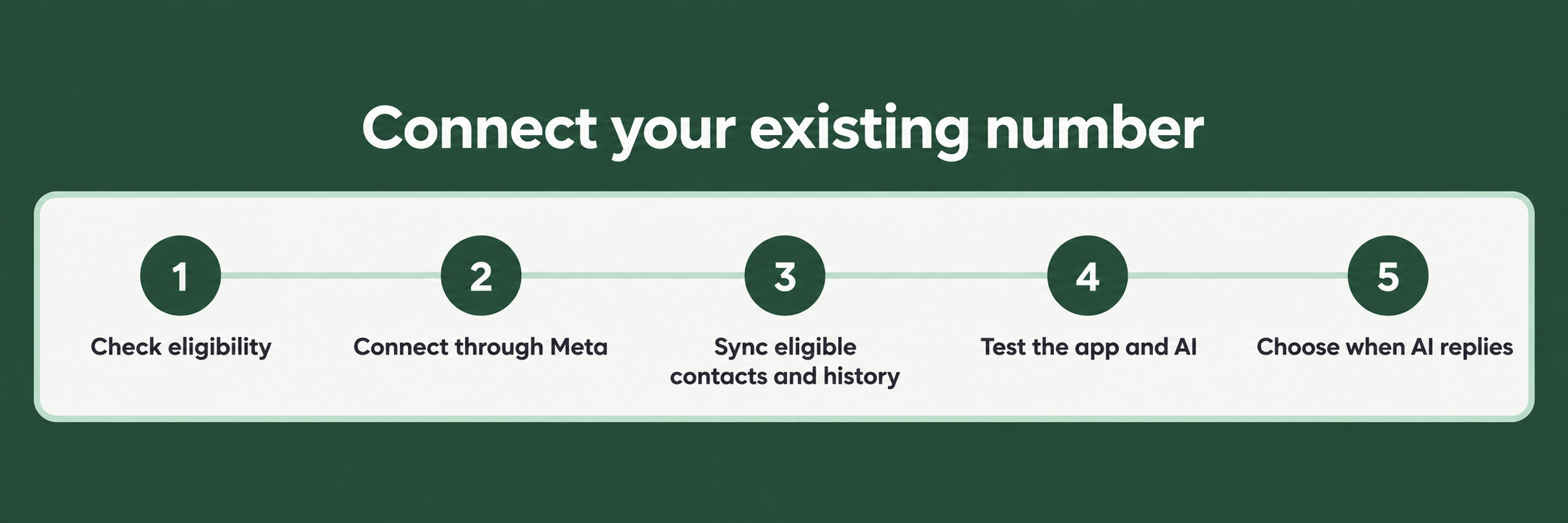
OpenStays guides you through eligibility, connection and testing. No new number or guest announcement is needed.
The setup has five clear steps:
OpenStays checks the number qualifies
During onboarding, OpenStays confirms that your existing WhatsApp Business number is eligible for coexistence before the connection begins.
OpenStays handles the official connection
We connect the eligible number to OpenStays through the official Meta flow. Your team does not need to manage an API console.
Contacts and recent history sync across
Eligible contacts and recent chat history are synced within Meta’s current limits, giving your team useful context from the start.
Your team tests the app and AI
Staff confirm that manual replies work in WhatsApp Business and that OpenStays responds according to the selected settings.
AI goes live with your chosen settings
Choose always on, selected hours or team first with a waiting time. OpenStays then starts assisting on the number guests already use.
Know what changes before you connect
Your number, manual replies, WhatsApp calls and catalogue continue to work. Some WhatsApp Business app features have limits after coexistence is enabled.
Existing broadcast lists become read only, group chats do not sync to OpenStays and linked companion devices are disconnected during setup. OpenStays reviews the current Meta requirements with you and tests both manual and AI replies before go-live.
Frequently asked questions
Can I choose when AI responds?
Yes. Choose AI to always respond, to respond during specific hours or to respond when nobody on your team has replied in WhatsApp Business within a chosen time. For example, you could set overnight hours of 10 pm to 8 am or a waiting time of 5 minutes.
How are WhatsApp messages charged?
Every outgoing WhatsApp message sent through OpenStays uses 1 credit, including AI replies and official Meta WhatsApp messaging charges. One credit costs ₹1 + GST. Incoming messages are free. Manual replies sent from the WhatsApp Business app do not use OpenStays credits. Purchased credits never expire.
What is WhatsApp coexistence, in plain terms?
It lets your team use the WhatsApp Business app while OpenStays automation works on the same number at the same time.
Do I have to change my WhatsApp number to use this?
No. Your property keeps its existing WhatsApp Business number throughout.
Will my guests notice anything different?
No. Guests continue messaging the same number. Replies from your team and OpenStays appear in the same WhatsApp conversation.
What happens to my existing contacts and chat history?
Eligible contacts and recent chat history can sync within Meta’s current limits. OpenStays checks what applies to your account during onboarding.
Do I need technical knowledge to set this up?
No. OpenStays handles the official connection and guides your team through testing during onboarding.
What actually changes once coexistence is switched on?
Existing broadcast lists become read only, group chats do not sync to OpenStays and linked companion devices are disconnected during setup. Manual replies, calls and the catalogue continue to work.
Can staff still reply manually from the WhatsApp Business app?
Yes. Staff can reply manually from WhatsApp Business at any time. These replies do not use OpenStays credits.
Is there a limit to how many messages can be sent this way?
Meta applies a combined rate limit across the app and automation. OpenStays checks the current limit for your number during onboarding.
What if I run more than one property, each with its own number?
Each number has its own coexistence connection. One property’s setup does not affect another property’s number.
Is this an official WhatsApp feature or a workaround?
Yes. Meta built coexistence into the official WhatsApp Business Platform and OpenStays connects through the official APIs as a Meta Tech Provider.
What if I already tried WhatsApp automation before and it required a new number?
Coexistence allows eligible businesses to add official automation to the WhatsApp Business number they already use. OpenStays checks whether your number qualifies.
Does this affect the phone the WhatsApp Business app is installed on?
No. The WhatsApp Business app stays on the phone your team already uses. Coexistence adds the official OpenStays connection to the same number.
Ready to add AI to the WhatsApp number your guests already use?
Sign up to keep your team on WhatsApp Business, answer enquiries faster and choose exactly when AI helps.